Project Monitoring
Every project, on one screen
Follow each project from intake to completion through the stages you define. See its status, current stage, due date and owner — and overdue work stands out.
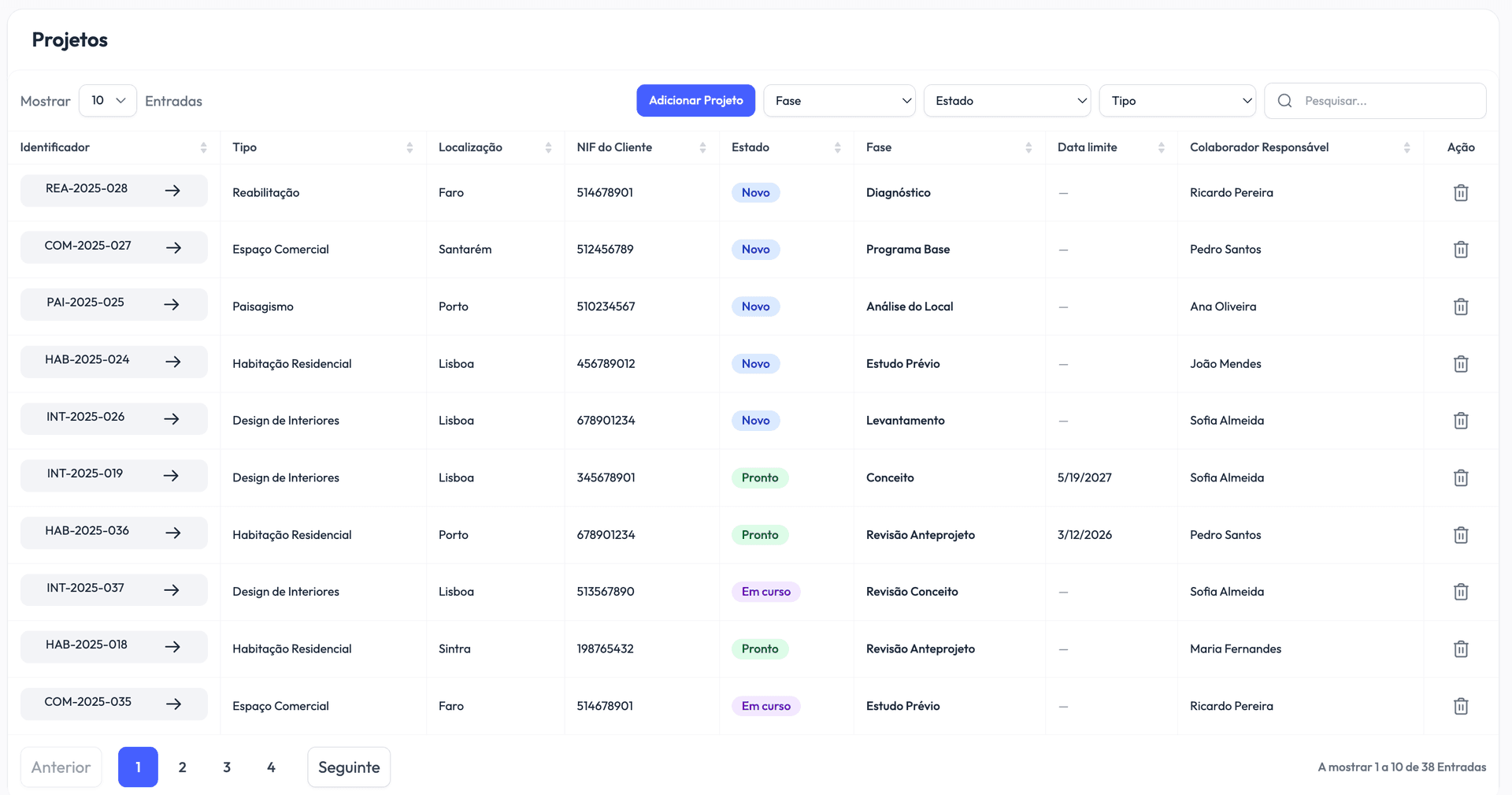
Vellum Architecture brings every project, document, and deadline into one place — so your team spends less time hunting for things, and more time on the work that matters.
You hand off a project, and weeks later it's hard to say where it stands. Updates sit in someone's inbox, approvals happen by phone, and deadlines can slip before anyone notices.
A client calls about their permit. The file is on someone's desktop, or buried in an email from March. Your team can spend more time hunting for files than actually working with them.
What started as a simple tracker has grown into something fragile — colour-coded tabs, formulas held together with hope, and columns nobody quite remembers the meaning of.
The same work, with a lot less friction.
Projects tracked in scattered spreadsheets
Every project in one list, with status, stage, due date and owner
Files buried in long email chains
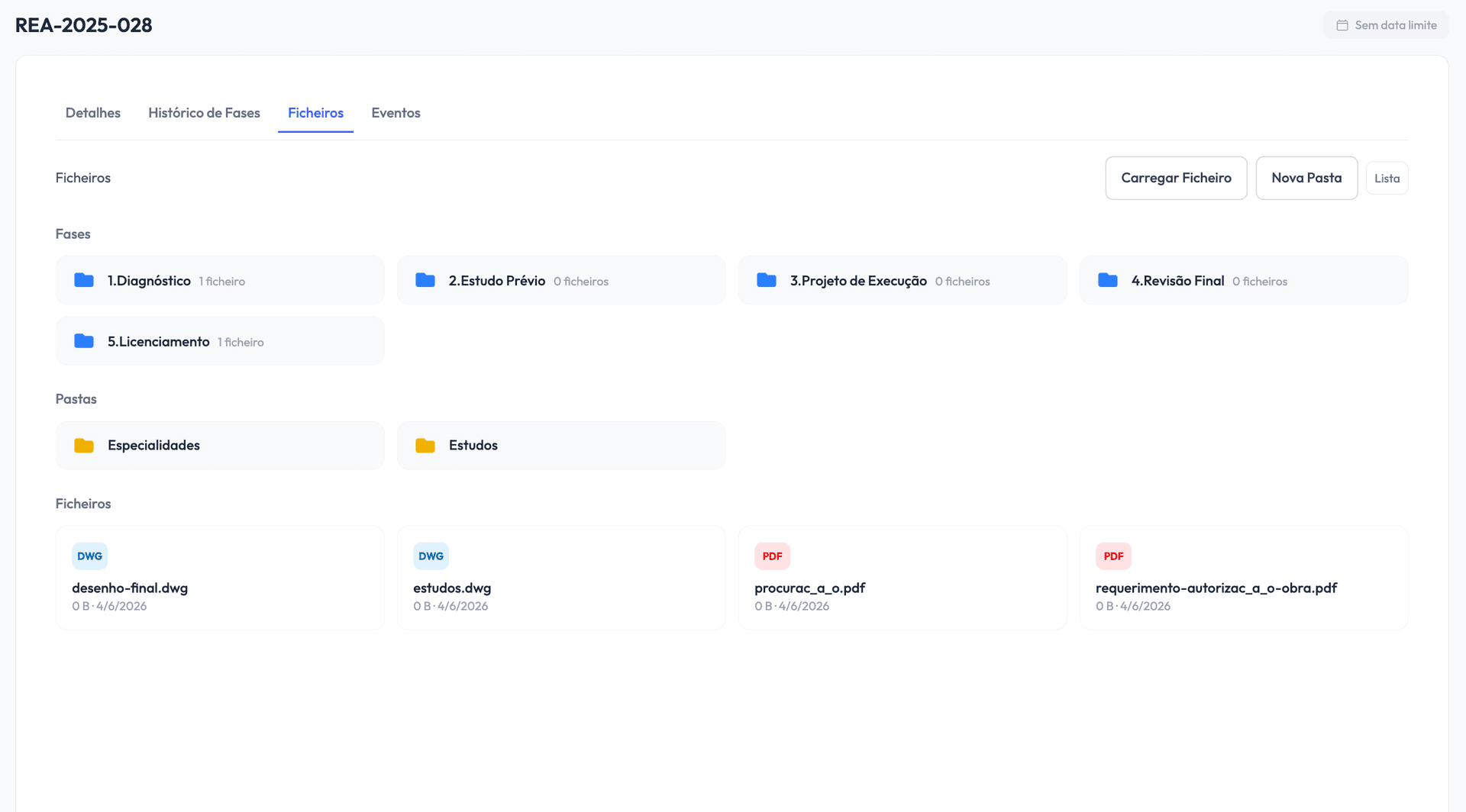
Documents organised by project stage
Client updates by phone, when you can reach them
Clients follow stages and approve deliverables in the portal
Limited visibility into team workload
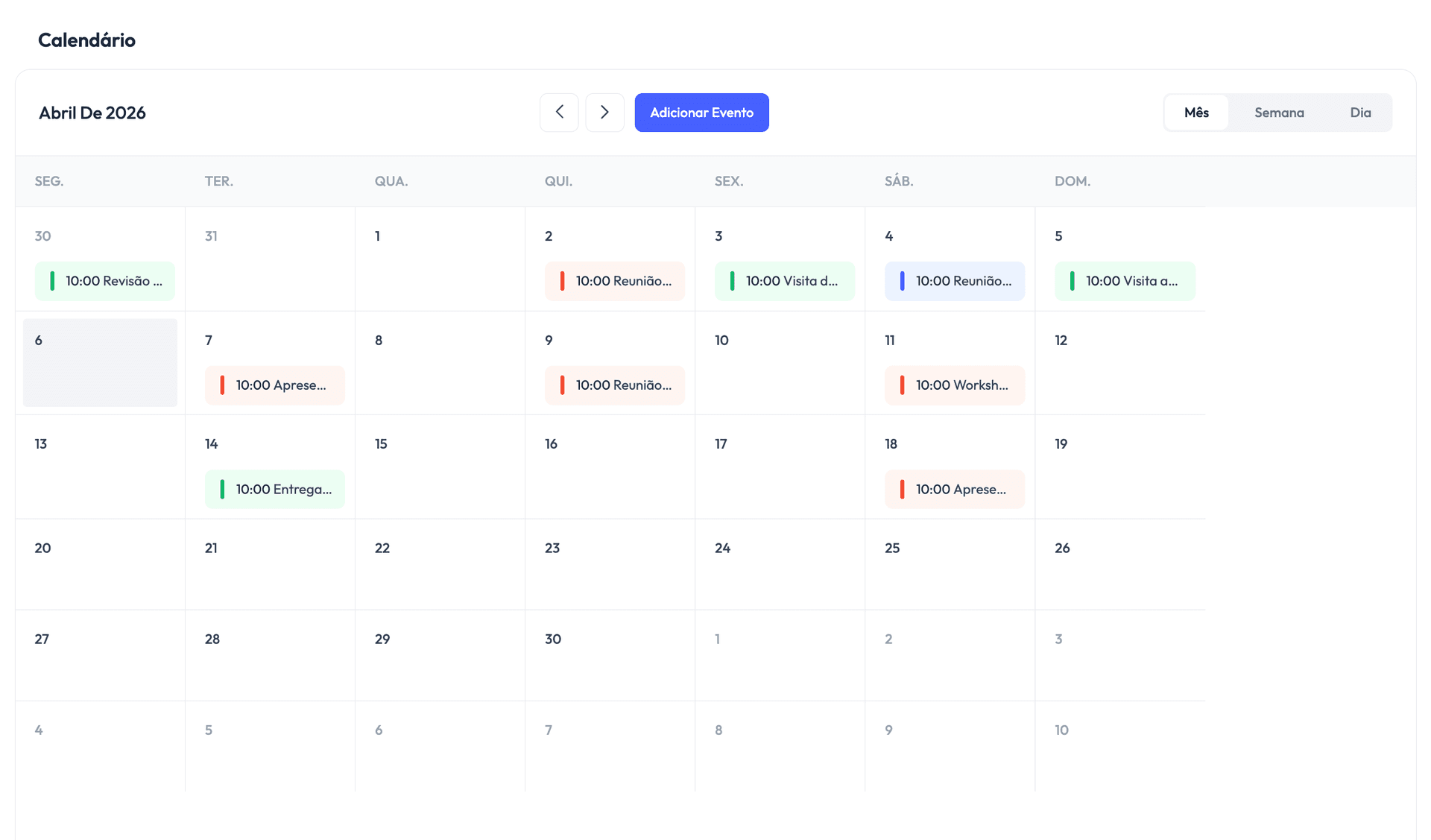
A team calendar with meetings, site visits and deadlines
Manual status reports every Monday
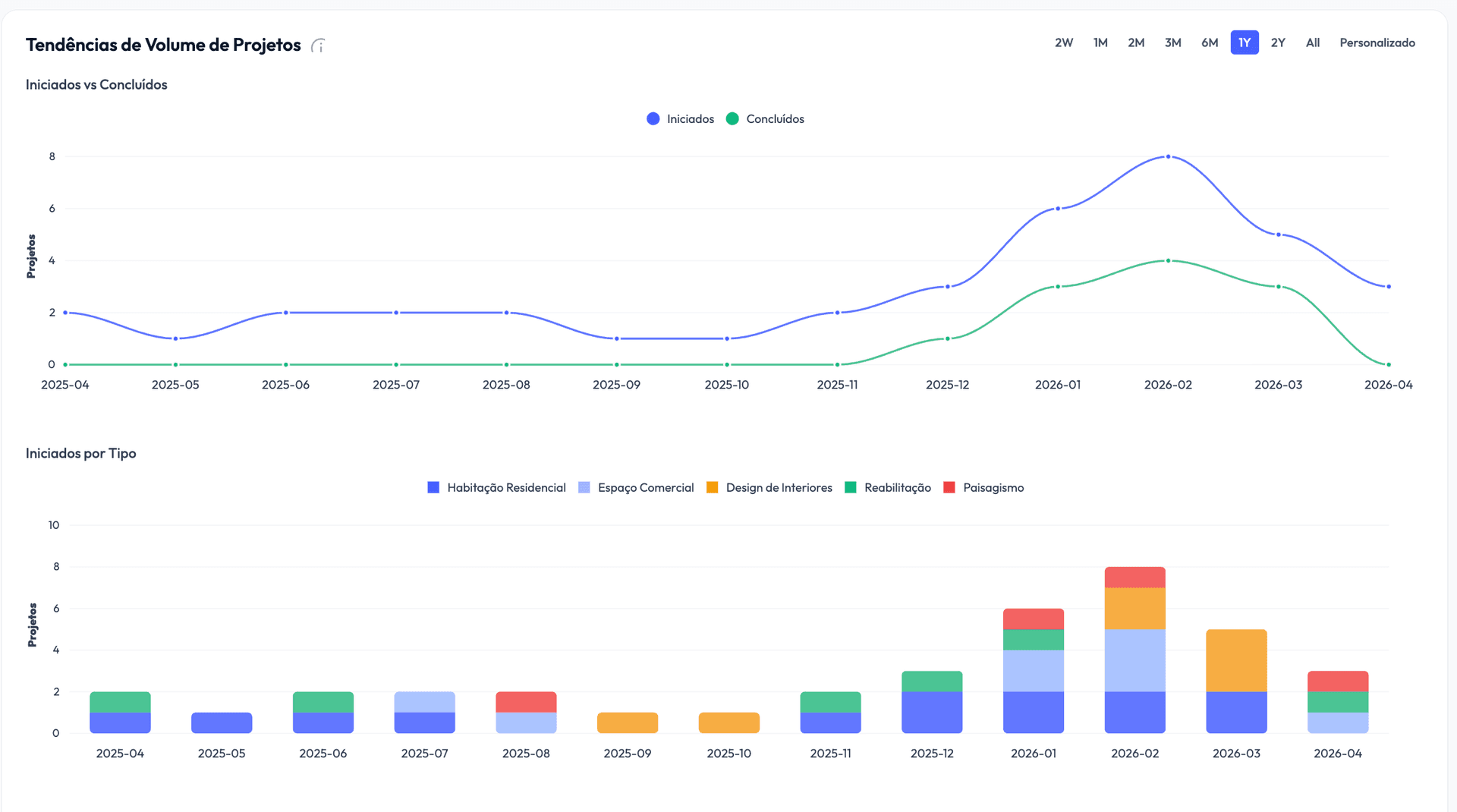
Automatic stats on deliveries and how long each stage takes
Each office working in its own silo
One shared view across every office
Follow each project from intake to completion through the stages you define. See its status, current stage, due date and owner — and overdue work stands out.
See how long each stage really takes, how deliveries compare with plan, and where projects get stuck. Clear numbers for your next decision.
Upload and organise deliverables by stage. CAD files, permits, contracts — linked to the right project, with every review and approval on record.
Schedule meetings, site visits and deadlines for the whole team, linked to projects — and invite clients as attendees when it makes sense.
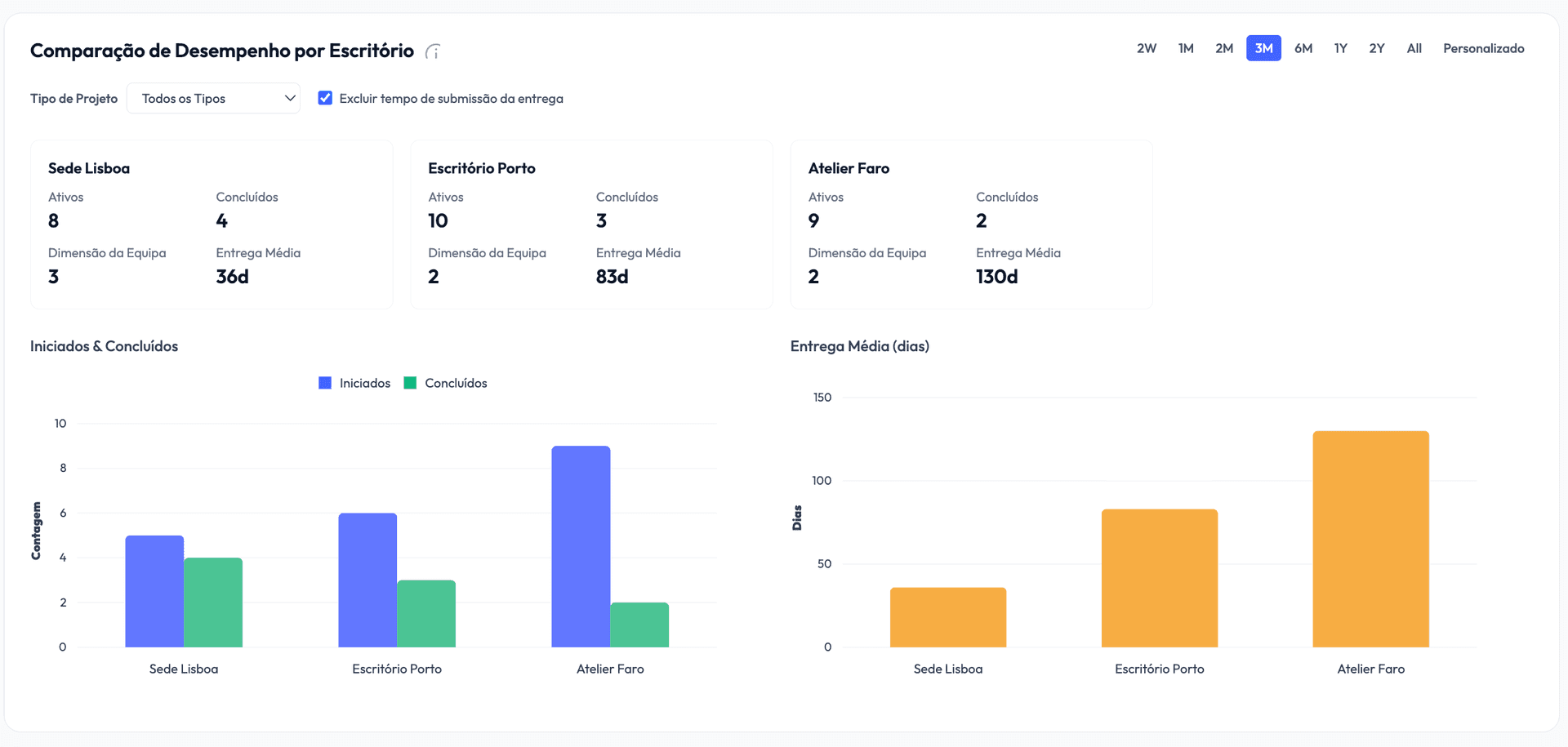
Manage projects, teams and clients across every office in one platform, and compare each office's performance in the statistics. On the Professional plan.
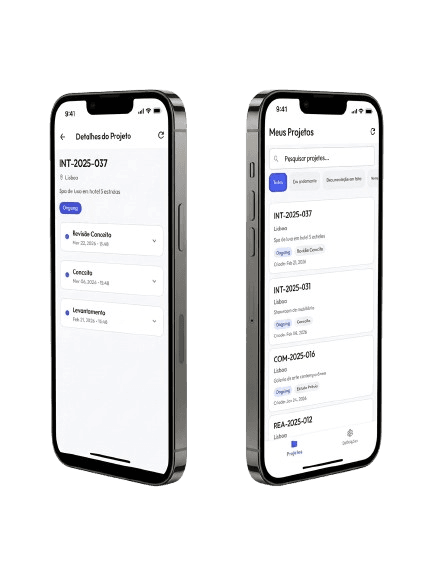
Your clients sign in to your firm's portal on a computer or phone and follow their projects' stages. They open the files you share for review and approve or request changes — with a note that stays on record.
Start free, upgrade when you're ready. No surprises.
For trying Vellum on your own.
For solo architects and small studios.
For growing and multi-office firms.
Staged projects, files with approvals, a client portal, calendar and statistics — see everything Vellum does.
Free, Core and Professional plans, per seat. Start free, no credit card required.
Practical guides on architecture project management, CAD files and client relationships.
How to set up your firm, invite your team and get the most out of every feature.
No. Start with your active projects: create the clients and the projects in progress, and leave your archive where it is. Older history can come in later, if you need it.
Vellum doesn't replace your drawing software: it stores the files it produces — DWG, DXF, RVT, IFC, SKP and many other CAD and BIM formats, up to 500 MB per file — organised by project and stage, with a review and approval for every deliverable.
Files are stored with DigitalOcean in London, and the database in Frankfurt. Accounts and passwords are held by Google Firebase in the United States, and payments are handled by Stripe. The full list of providers, and what each one holds, is on the Security & data page.
Security & data →Yes: we answer in Portuguese and English, at [email protected] or through the app's Support page. On paid plans, replies come within 48 hours on Core and 24 hours on Professional, on business days.
Yes. The Free plan is free forever and asks for no card. Core and Professional come with 14 free days, also without a card.
No. The client portal works in the browser, on a computer or a phone, and can be added to the home screen like an app. It's included on Core and Professional.
Have a question, or want to see Vellum on your own projects? Send us a note and we'll get back to you within one business day.
Prefer email? Write to us at [email protected]